
Expensive upscalers,
no more
Blurry output, tight length limits, hefty monthly fees.
For AI video post-production, AI PIXELL is all you need.
Post-process any model,
any AI video to 4K · 8K · 16K
From Veo, Kling and Runway to open-weight models — pick the one you use to see how to enhance it.
Veo Upscaler
4K · 8K · 16K →
KlingKling Upscaler
4K · 8K · 16K →
RunwayRunway Upscaler
4K · 8K · 16K →
SoraSora Upscaler
4K · 8K · 16K →
SeedanceSeedance Upscaler
4K · 8K · 16K →
HailuoHailuo Upscaler
4K · 8K · 16K →
LumaLuma Upscaler
4K · 8K · 16K →
PikaPika Upscaler
4K · 8K · 16K →
PixVersePixVerse Upscaler
4K · 8K · 16K →
WanWan Upscaler
4K · 8K · 16K →
HunyuanHunyuan Upscaler
4K · 8K · 16K →
LTXLTX Upscaler
4K · 8K · 16K →
Where does the quality of generative output get stuck?
AI images and videos are fast to create, but resolution and detail at the output stage still have clear limits.
Low-resolution output
Generated videos rendered at 720p or 1080p need to be upscaled to 4K or 8K for social and ad use.
Blurry edges and detail
Restore crisp detail in outputs where outlines are smeared and textures look blurred.
Noise and artifacts
Selectively clean up noise, mush, and awkward artifacts produced during generation.
Length and pricing limits
Whether 15 seconds or an hour, no length cap — sensible post-production that you pay for only as you use it.
The blur in AI video,
gone for good
Lift 720p · 1080p AI video to 4K · 8K. Faces, detail, and texture are brought back naturally.
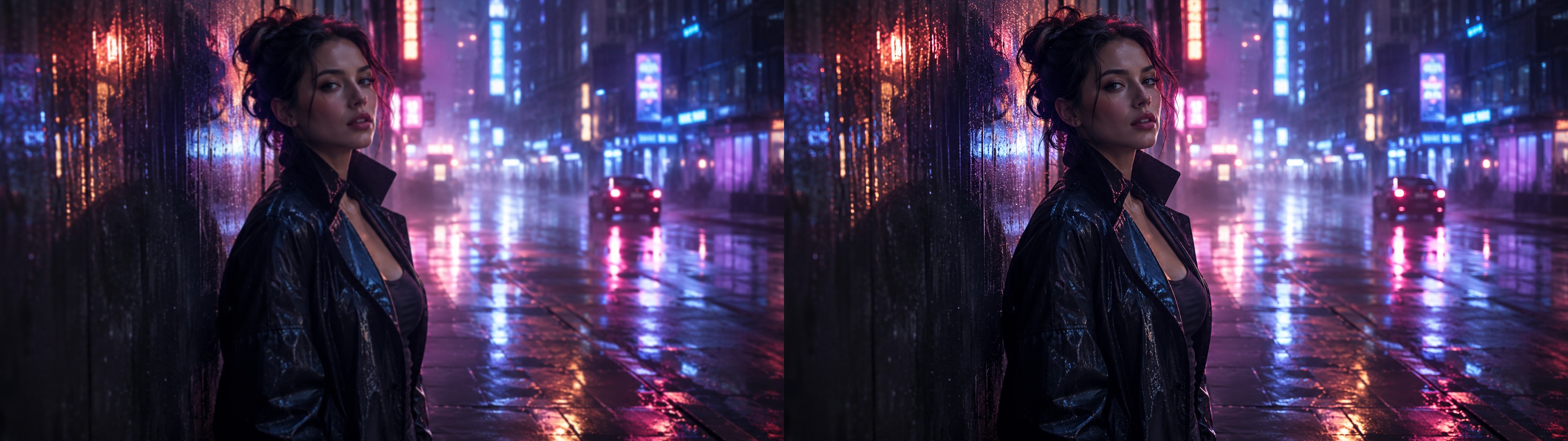
Non-generative correction —
we don't alter the source
Unlike generative tools that imagine and fill in empty areas, AI PIXELL leaves the original detail untouched and only lifts the quality.
Edge sharpness
Bring back crisp outlines and detail that had gone soft. No hallucination or distortion — only the information that was already there, made clear.
No length limit
From 15-second shorts to hour-long footage, process at consistent quality with no length restriction.
Sensible pricing
Instead of a heavy monthly subscription, usage-based pricing — pay only for what you use, precisely.
The last step in AI video,
post-production quality
Making video with AI and lifting the quality are two different things. Hand over the file you already made, and AI PIXELL polishes it cleanly.
Make the AI video
Create video on the AI platform you normally use. Text or image — the source doesn't matter.
Upload the file
Upload the output video file to AI PIXELL. No additional conversion is required.
Enhance & publish
Boost edge sharpness and upscale to 4K · 8K. Publish to YouTube, social, or ads with confidence.
Any video file, as is
No matter where your AI video was created or what its aspect ratio or resolution is, simply upload it. Process unlimited videos with no length restrictions.
The change AI creators made with AI PIXELL
Real examples of generative video creators lifting their output quality with AI PIXELL.
Detail restoration on generated video
Low-resolution AI video corrected with upscaling and sharpness, lifted to 4K quality ready for social.
Generative video creator · shortsReduced mush and artifacts
Noise and mush from the generation process were cleaned up with denoise, cutting awkwardness by 70%.
AI ad production studioBulk processing of hundreds of clips
Hands-off batch correction of hundreds of generated clips via watched folders, covering campaign-scale production.
AI content agency · campaign operationsAI video quality woes,
solved sensibly
Make blurry outputs sharp and small resolutions large. Start your post-production with AI PIXELL right now.