

Keep the workflow you already use!
Pick the one for the tool you use.
Supports both Windows and macOS, purchased separately for each OS.

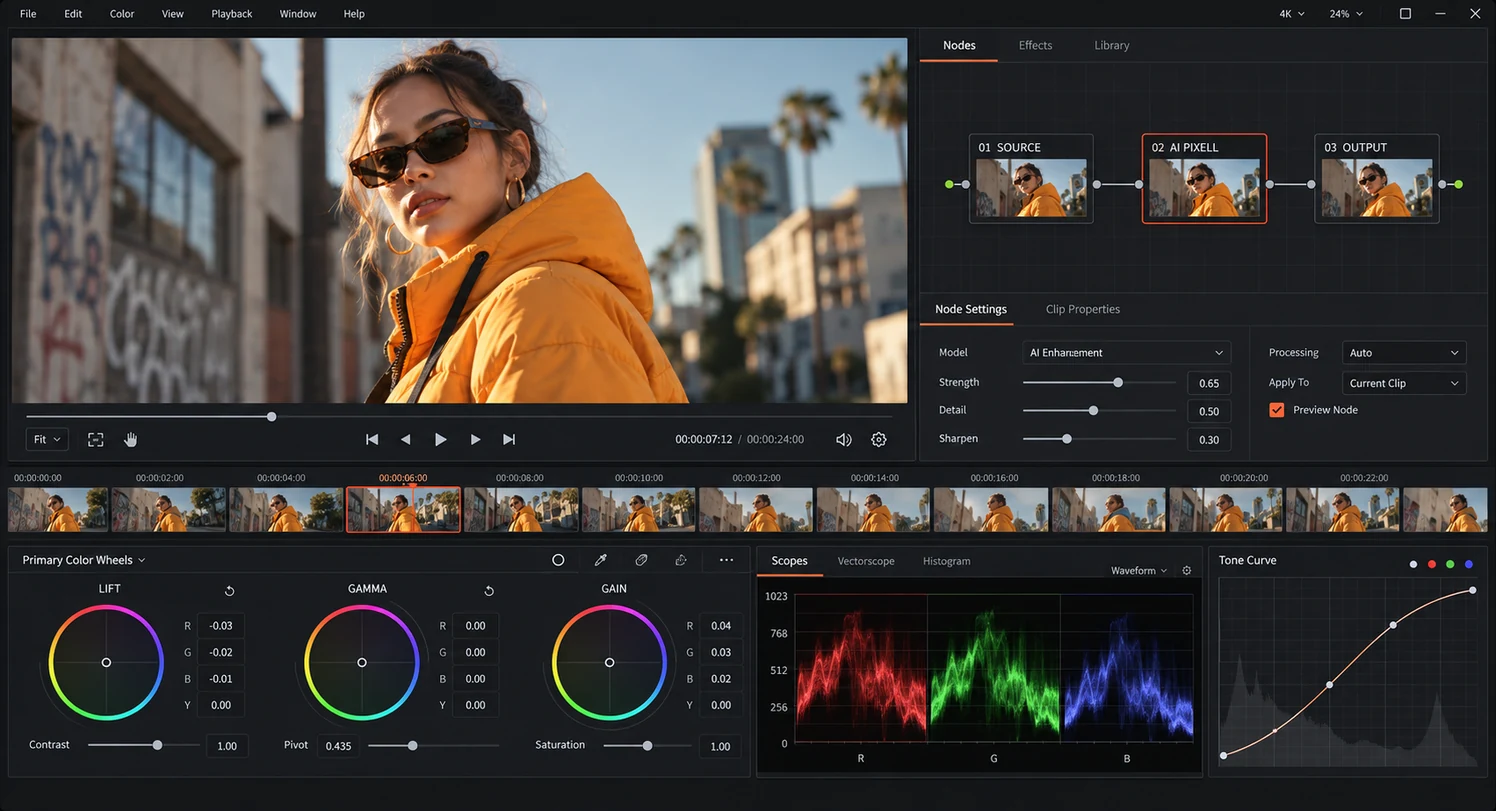
For DaVinci Resolve
AI PIXELL enhancement models as filters on your DaVinci Resolve timeline. Apply with no parameters to tune and render with DaVinci's own engine.
- Fully integrated into DaVinci Resolve's own nodes
- DaVinci Resolve Studio only
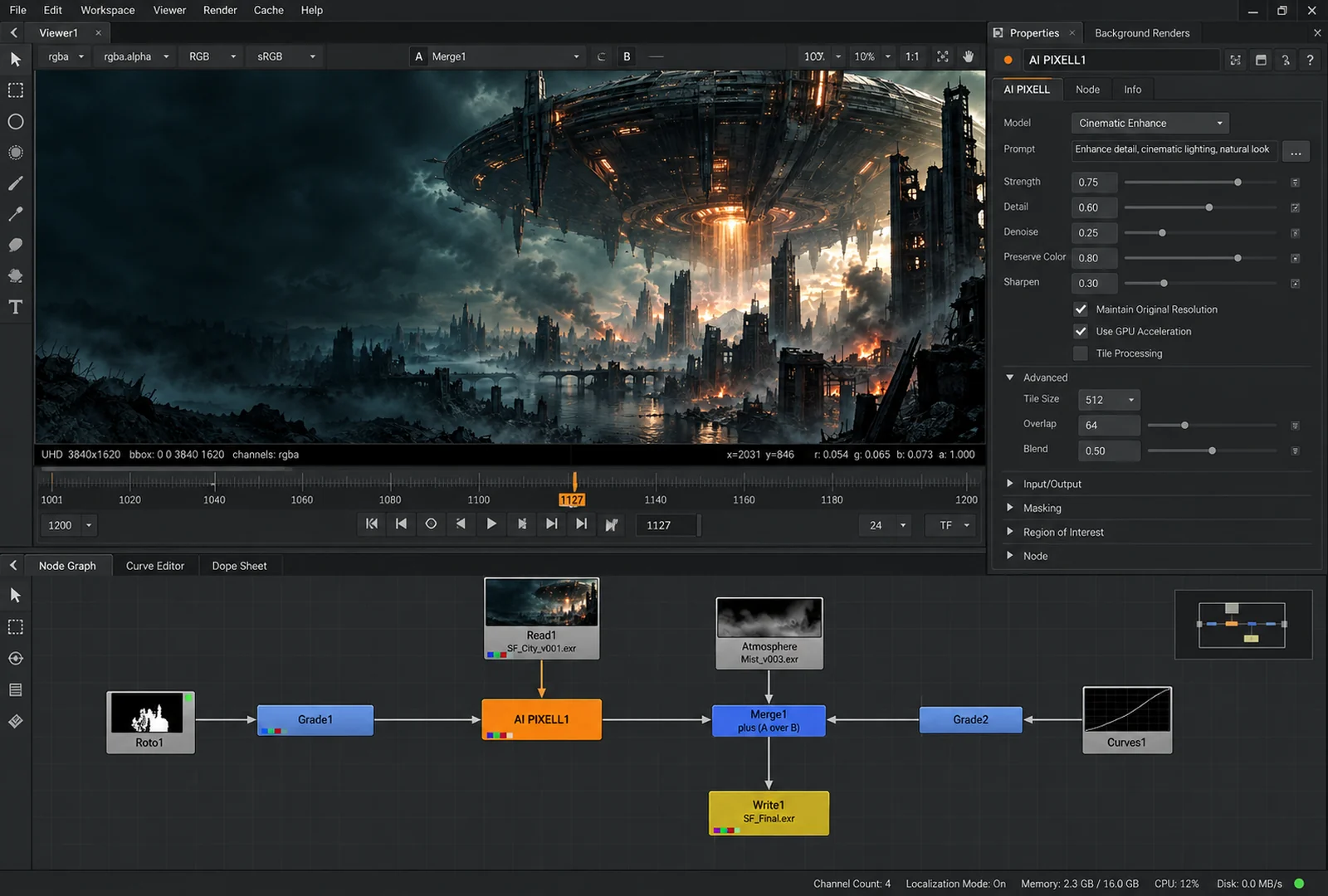
For Foundry Nuke
AI PIXELL enhancement models as a single Foundry Nuke node. Keep your VFX compositing workflow: drop it into the node graph and render with Nuke's own engine.
- Drop into the node graph and render with Nuke itself
- Supports Nuke · NukeX · Nuke Studio (Foundry Nuke required)
4 professional enhancement AI models built in
Non-generative AI never invents what wasn't there.
It restores only existing information, with no distortion or hallucination.


Upscale
Enlarges low-resolution renders and plates up to 16K while restoring detail.


Sharpness
Restores crisp outlines and edges without amplifying noise.


Denoise
Removes low-light, high-ISO, and compression noise while preserving fine detail.


Enhance
A sharpness enhancement model that makes blurry footage delicately clear, reviving even more natural-looking texture.


De-interlace
Removes combing from legacy broadcast and archive sources for smooth progressive video.
Your familiar workflow, unchanged
No complex options. Apply the filter or node and render as usual. That's it.
Add
Add it as a timeline filter in DaVinci, or as an AI PIXELL node in the Nuke node graph.
Apply
Choose the model you need: upscale, sharpness, denoise, or enhance. No parameters to tune.
Render
Export the result with the host app's (DaVinci/Nuke) own render and output.
Requirements & licensing
Each product supports Windows and macOS, purchased separately for each OS.
Each license is active on only one machine at a time via hardware binding.
DaVinci Resolve 용
- DaVinci Resolve Studio (paid) required
- Windows: NVIDIA RTX 2060 or later / macOS: Apple Silicon M1 Pro or later
- About 5GB storage · $159 per OS (one-time payment · perpetual license)
Foundry Nuke 용
- Foundry Nuke 13 or later (Nuke · NukeX · Nuke Studio) required
- Windows: NVIDIA RTX 2060 or later / macOS: Apple Silicon M1 Pro or later
- About 5GB storage · $159 per OS (one-time payment · perpetual license)
Licenses are purchased separately for each OS, Windows and macOS. Hardware binding keeps each license active on only one machine at a time; to move to another PC, deactivate the current device and request a PC transfer.
Start with the tool you use
DaVinci Resolve or Foundry Nuke: go to the checkout page for each product.