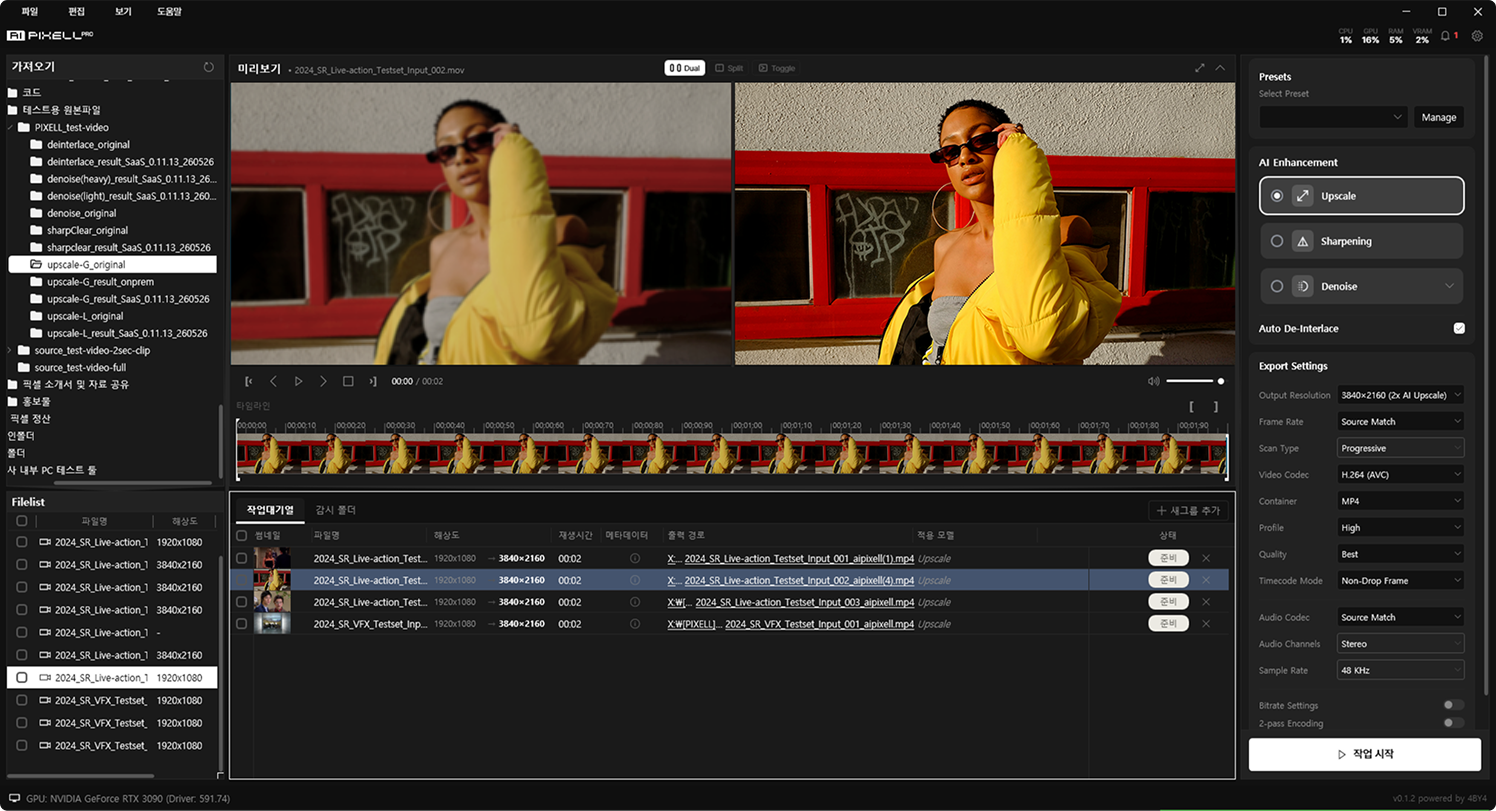
4 AI models that transform video quality
Upscale, sharpening, denoise, and de-interlace in one place — with distortion-free, hallucination-free non-generative AI.
Pick the feature you need and take a closer look.
 01
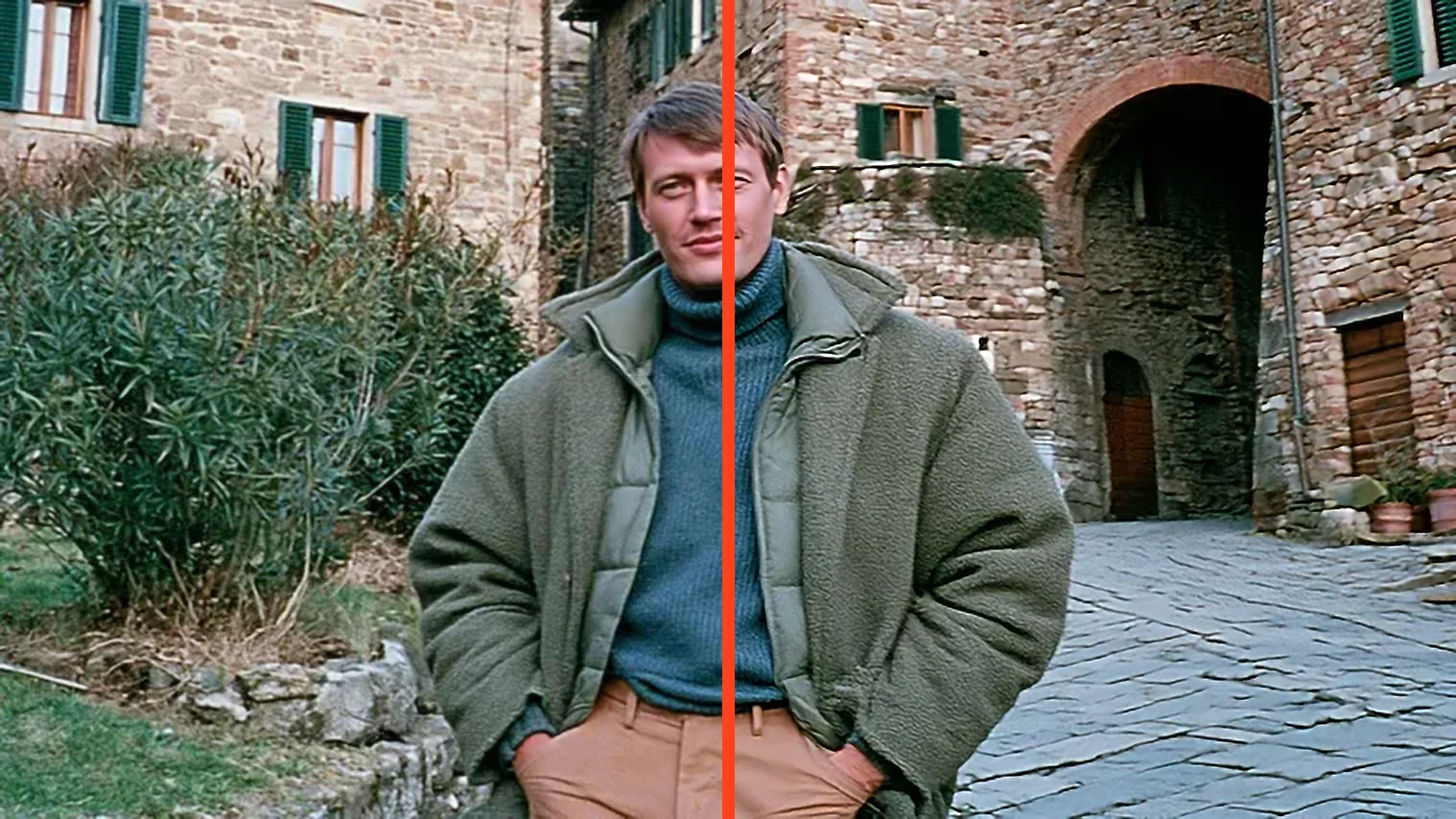
01Low-res video to 4K·8K·16K
Revives detail in old, blurry footage and enlarges it up to 16K. Supports both Detail and Restore modes.
Learn more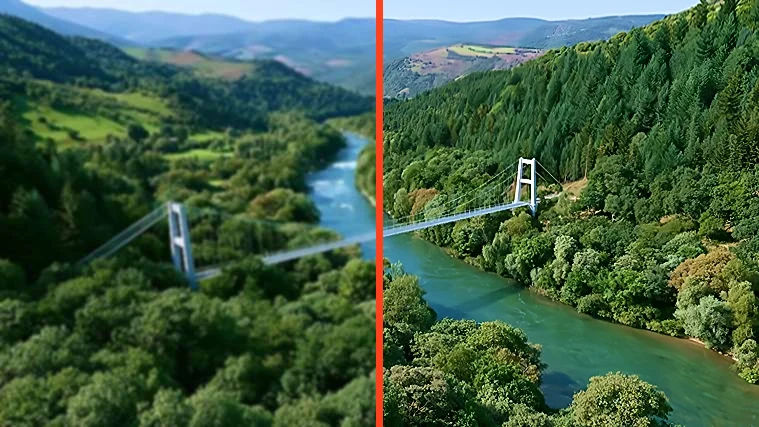 02
02Make blurry footage crisp
Restores crisp edges and contours in soft, out-of-focus-looking footage for a clear picture.
Learn more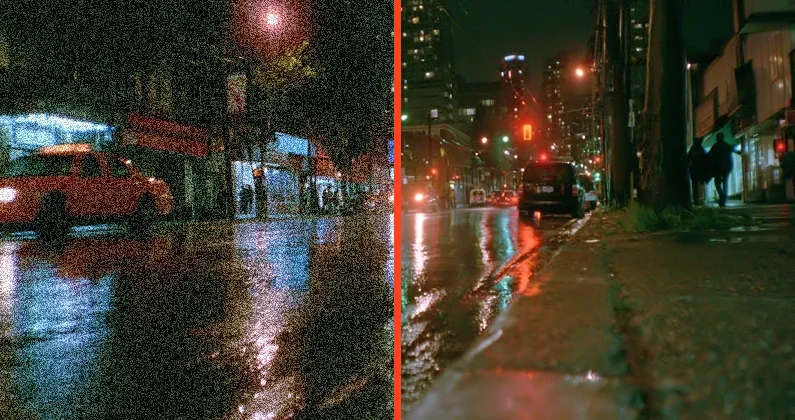 03
03Clean, noise-free footage
Naturally removes low-light noise and compression artifacts to restore clean footage.
Learn more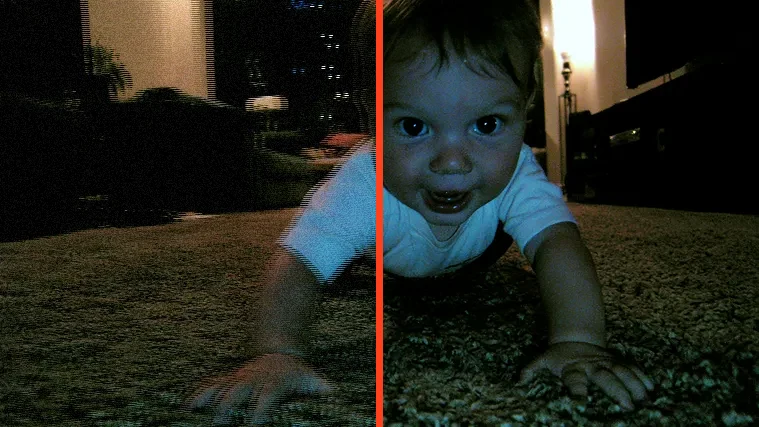 04
04Smooth out interlaced footage
Converts the comb artifacts of old broadcast and camcorder footage into smooth progressive video.
Learn moreBeyond enhancement — a full video toolkit
From conversion and transcoding to comparison and trimming — finish everything in one program.
Video Converting
Easily convert to the format you need — MP4, MOV, MKV, and more.
Video Transcoding
Re-encode to delivery specs with H.264, H.265, VP9, or ProRes codecs and custom bitrates.
Video Comparer
Inspect quality differences frame by frame with the original and result side by side.
Video In/Out Trim
Cut just the section you need with in/out points and save processing time.
NVIDIA RTX · TensorRT Acceleration
TensorRT engines squeeze the most out of your RTX GPU's Tensor Cores for fast processing. Handle long videos and large batches — unlimited, as far as your GPU allows.
Frequently Asked Questions
AI PIXELL provides four non-generative AI models — upscale, sharpening, denoise, and de-interlace — in one program. It never re-generates the original, so it raises quality without distortion or hallucination, making it a fit for broadcast, video production, and creator work alike.
Generative AI imagines and paints in pixels that never existed, so faces, text, and textures can drift from the original. AI PIXELL is non-generative — it only restores and refines the information that is there, so there is no hallucination or distortion and the result stays faithful to the original.
You can upscale up to 16K. Expand low-resolution or aged footage to 4K, 8K, or 16K and export it for YouTube, broadcast, screening, or exhibition specs.
Yes. Denoise handles low-light and compression noise, de-interlace removes the comb artifacts of old broadcast and camcorder footage, and sharpening clears up blur. Apply them together with upscaling to remaster in a single pass.
It supports most containers such as MP4, MOV, and MKV, and codecs including H.264, H.265 (HEVC), VP9, and ProRes. Load your original as-is and export again in the delivery spec you need.
Yes. Everything runs on-device on your PC with no cloud upload, so unreleased footage and personal recordings never leave your machine. It runs fast with TensorRT acceleration on NVIDIA RTX GPUs.
Yes. Batch-process large volumes of footage with no length limit, on a one-time purchase (lifetime license) rather than a subscription.
Yes. With the 14-day free trial you can apply it to your own footage with no watermark, resolution, or count limits, and decide to buy after seeing the results.